VeloxClip

Powerful AI-Enhanced Clipboard Manager for macOS

Intelligently manage, search, and transform your clipboard history. Built-in screenshot capture and professional image editing tools to enhance your workflow.

Core Features

Discover the powerful features of VeloxClip

📋

Smart Clipboard Management

Automatic history tracking with smart deduplication. Track source apps and manage favorites with custom tags.

自动历史记录跟踪,智能去重。跟踪来源应用,使用自定义标签管理收藏。

🤖

On-Device Intelligence

OCR text recognition, text summaries, and semantic search — all powered by Apple's on-device frameworks. No API keys, no network calls.

OCR 文字识别、文本摘要和语义搜索,全部基于 Apple 本地框架,无需 API 密钥,无任何网络请求。

🔍

Advanced Search

Keyword search, semantic search, and tag-based filtering. Find clipboard items by meaning, not just keywords.

关键词搜索、语义搜索和基于标签的过滤。通过含义查找剪贴板项目,不仅仅是关键词。

Favorites & Tags

Mark important items as favorites. Auto-tagging by content type and custom tags for better organization.

将重要项目标记为收藏。按内容类型自动标记和自定义标签,更好地组织内容。

📸

Screenshot & Editing

Capture area screenshots and edit with professional tools: drawing, arrows, text, mosaic, and more.

捕获区域截图并使用专业工具编辑:绘图、箭头、文本、马赛克等。

🎨

Rich Previews

Specialized previews for JSON, tables, URLs, code, colors, images, markdown, and more with syntax highlighting.

针对 JSON、表格、URL、代码、颜色、图像、Markdown 等的专业预览,支持语法高亮。

📚

Paste Stack

Stage multiple history items, then paste them one-by-one with plain Cmd+V. A floating HUD tracks progress and auto-pauses when you copy something else.

暂存多条历史项目,然后用普通 Cmd+V 逐条粘贴。悬浮 HUD 实时显示进度,复制其他内容时自动暂停。

🔎

Screen Text Capture

Press F2 to select any region of the screen — recognized text (or QR/barcode payload) goes straight to your clipboard. OCR anywhere, fully on-device.

按 F2 框选屏幕任意区域,识别出的文字(或二维码/条码内容)直接进入剪贴板。随处取词,完全本地运行。

🗂️

Type Filter

One-tap filter chips above the history list — All / Text / Image / File. Stacks on top of search and the favorites view.

历史列表上方的一键筛选标签——全部 / 文本 / 图片 / 文件。可与搜索和收藏视图叠加使用。

Screenshots

Take a look at VeloxClip's interface

Main Interface

Main Interface

Modern Spotlight-style interface
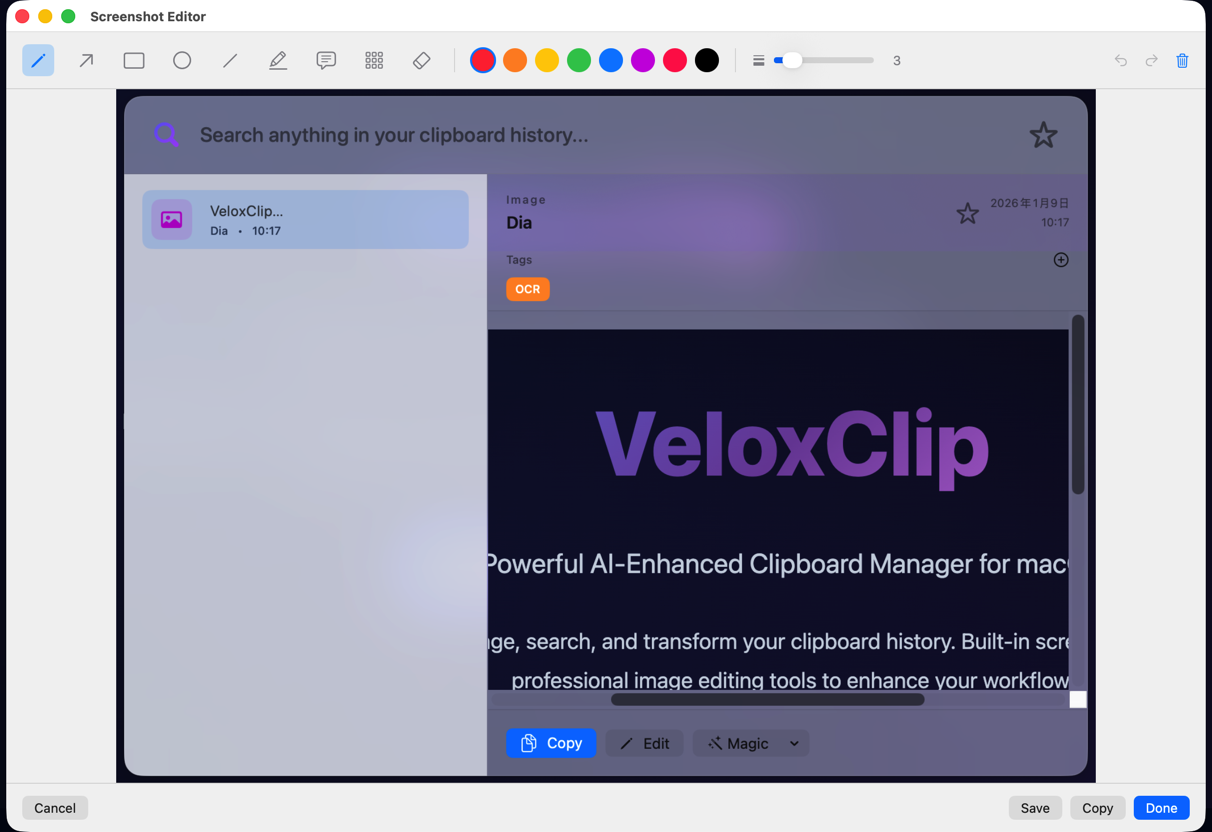
Image Editor

Image Editor

Professional screenshot editing tools
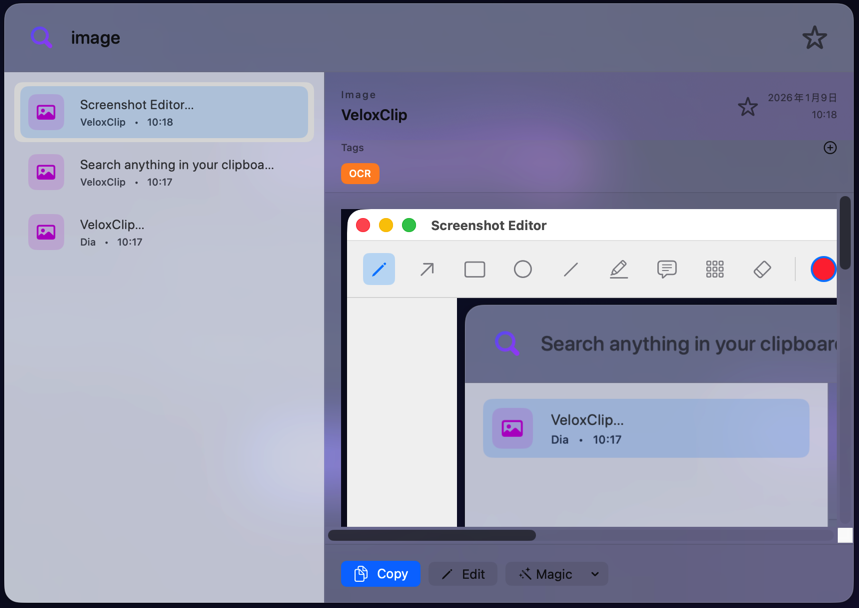
Smart Search

Smart Search

Semantic search and tag filtering

Installation

Get started with VeloxClip quickly

Build from Source

Clone the repository and build the application:

克隆仓库并构建应用程序:

git clone https://github.com/ilikebug/VeloxClip.git
cd VeloxClip
swift build -c release
./build_app.sh

Privacy

VeloxClip runs 100% on-device. No accounts, no API keys, no network calls — your clipboard data never leaves your Mac.

VeloxClip 完全在本机运行。无需账号、无需 API 密钥、无任何网络请求——您的剪贴板数据永远不会离开您的 Mac。

Download

Get the latest version of VeloxClip

Loading version info...

Download the latest release

下载最新版本

⚠️ If you see a security warning

If you see 'damaged', 'unidentified developer', or '危险应用' (dangerous app) warning after downloading:

如果下载后看到'已损坏'、'未识别的开发者'或'危险应用'警告:

  • Open System Settings → Privacy & Security → Security → Click '仍要打开' (Still Open) button

This is normal for open-source apps. The app is safe - macOS just needs your confirmation the first time.

这是开源应用的正常情况,应用是安全的,macOS 只需要您首次确认。

Technology Stack

Built with modern macOS technologies

Swift 6.0 SwiftUI Apple Vision Framework Natural Language Framework SQLite macOS 14.0+